
How to Start Learning CSS with Courses, Apps, Youtube Channels & Games
06 May 2026
320 views
This article is up to date as of October 2026

Written by
Ethan Robinson,
Middle Frontend Developer

Reviewed by
Noah Kruger,
Senior UI Engineer
If you already master HTML or are just getting into frontend development, the next logical question is how to start learning CSS the right way. From my experience, this is where many beginners either accelerate their progress or get stuck for months. CSS looks simple at first - just colors, spacing, fonts - but once you start building real layouts, it quickly becomes clear that it’s much deeper. Without a structured approach, it’s easy to get frustrated by broken layouts, unpredictable behavior, and styles that don’t work the way you expect.
What makes CSS tricky is that it’s not just about syntax - it’s about how the browser calculates layout. You need to understand the box model, positioning, flow, and how elements interact with each other. I’ve seen developers jump into frameworks or copy styles from tutorials without understanding these fundamentals, and it always leads to the same result: they can build something that looks right, but they can’t fix it when it breaks. Learning CSS properly means understanding why things work, not just how to apply styles.
The good news is that CSS becomes much easier once you approach it as a system. Instead of memorizing properties, focus on layout logic: how elements stack, align, and resize. Build small components, break them, and fix them again. That repetition is what builds real skill.
If you start with the right mindset and a clear structure, CSS stops feeling random and starts feeling predictable - and that’s when real progress begins.
How Important Is Learning CSS?
A question I often hear from beginners is not just how to learn CSS, but how important is learning CSS in modern frontend development. The short answer is: it’s absolutely essential. No matter what tools or frameworks you use, every interface on the web ultimately depends on CSS for layout, responsiveness, and visual consistency. Even when you work with component libraries or design systems, you are still relying on CSS concepts under the hood. Ignoring CSS or learning it superficially creates limitations that become very obvious as soon as you try to build something real.
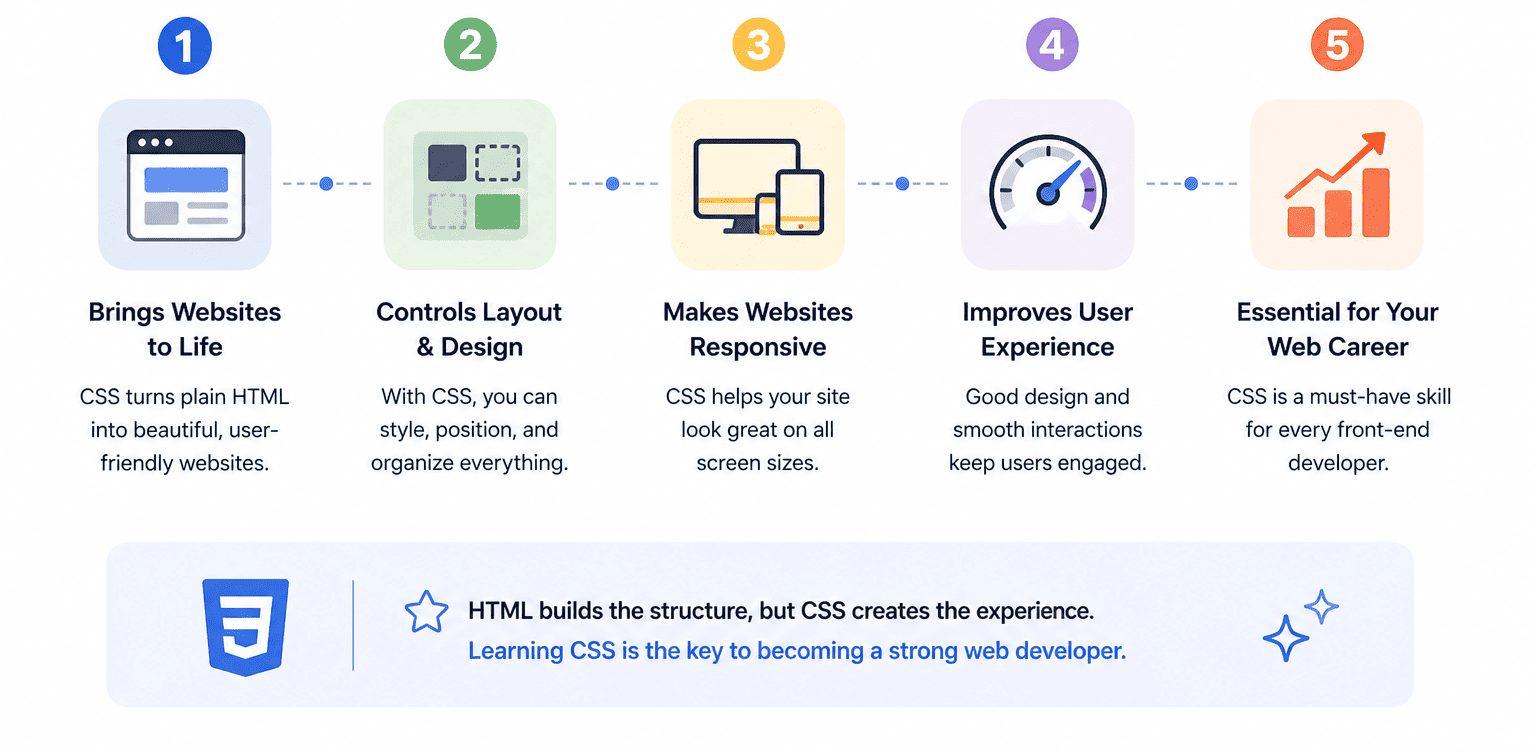
CSS directly impacts how users experience your application. Performance, readability, accessibility, and responsiveness are all tied to how well your styles are implemented. A poorly structured layout can make an app unusable on mobile devices. Incorrect spacing or typography can affect usability. Lack of responsive design can completely break the user experience on different screen sizes. These are not “design problems” - they are engineering problems that frontend developers are responsible for solving.
From a career perspective, strong CSS skills are often what separate average developers from strong ones. Many developers know JavaScript, but far fewer can confidently build complex layouts, responsive systems, and scalable UI components without relying heavily on external libraries. When you understand CSS deeply - including Flexbox, Grid, layout flow, and responsiveness - you gain independence. You can build interfaces from scratch, debug issues quickly, and adapt designs without guessing.
In 2026, CSS is not becoming less important - it’s becoming more critical.
Modern UI expectations are higher than ever, and users expect fast, responsive, accessible interfaces across all devices. Developers who invest in CSS early save themselves from constant frustration later and build a much stronger foundation for everything that comes next in frontend development.
Learning CSS Step by Step: A Practical Developer Path
When I teach CSS to beginners or review junior developers’ code, I always notice the same pattern: those who follow learning CSS step by step progress much faster than those who jump randomly between topics. CSS is not hard, but it is layered. If you skip foundational concepts, everything else starts to feel unpredictable. The goal is not to learn every property, but to understand how the browser calculates layout and applies styles.
Another important point is that CSS builds on itself. For example, if you don’t understand the box model, spacing will feel random. If you skip positioning, layouts will break. If you ignore Flexbox or Grid, you will rely on hacks instead of building clean solutions. That’s why a structured approach is critical. From my experience, the best way to learn CSS is to treat it like a system: start with core mechanics, then move into layout, and only after that into responsive and advanced techniques.
Below is the exact path I recommend:
-
CSS Syntax, Selectors, and Cascade
This is the foundation of everything. You need to understand how CSS rules are written, how selectors target elements, and how the cascade determines which styles win. Beginners often underestimate specificity and inheritance, but these concepts explain most “why doesn’t this work?” situations. Without this, you will constantly fight with styles overriding each other. Mastering selectors, specificity, and the cascade gives you control over styling instead of relying on trial and error. -
The Box Model (Spacing & Layout Fundamentals)
The box model is one of the most important concepts in CSS. Every element is essentially a box with content, padding, border, and margin. If you don’t fully understand how these layers interact, spacing will always feel inconsistent. Many layout bugs come from misunderstanding margin collapse or how padding affects size. Once you understand the box model deeply, spacing becomes predictable, and layouts become easier to control. -
Display and Layout Flow
CSS layout is heavily influenced by how elements behave in the normal document flow. Understandingdisplayvalues likeblock,inline, andinline-blockis essential before moving to more advanced layouts. This is where you learn how elements stack, how width behaves, and how content flows naturally. Developers who skip this step often struggle later with Flexbox and Grid because they don’t understand the default behavior they are overriding. -
Positioning (Relative, Absolute, Fixed, Sticky)
Positioning allows you to take elements out of the normal flow and place them precisely. However, it’s also one of the most misused parts of CSS. Beginners often overuseposition: absoluteto fix layout issues instead of understanding the root cause. Learning positioning correctly helps you build overlays, tooltips, sticky headers, and UI components without breaking layout logic. It also teaches how parent-child relationships affect positioning context. -
Flexbox for Modern Layouts
Flexbox is one of the most practical layout tools you will use daily. It allows you to align items, distribute space, and build flexible layouts with minimal code. Understanding properties likejustify-content,align-items, andflex-directionis critical. Flexbox replaces many old layout hacks and gives you a clean, predictable way to handle one-dimensional layouts (rows or columns). Mastering it dramatically improves your ability to build real interfaces. -
CSS Grid for Complex Layouts
While Flexbox handles one-dimensional layouts, Grid is designed for two-dimensional layouts. It allows you to control rows and columns simultaneously. Grid is ideal for dashboards, complex page structures, and responsive designs. Learning Grid teaches you how to think in layout systems instead of individual elements. Developers who understand both Flexbox and Grid can solve almost any layout problem efficiently. -
Responsive Design and Media Queries
Modern web development is mobile-first. You need to design layouts that work across different screen sizes. This is where media queries, fluid layouts, and flexible units come into play. Without responsive design knowledge, your UI may look fine on desktop but break completely on mobile. Learning this early ensures you build interfaces that adapt naturally instead of needing constant fixes later. -
Typography, Colors, and Design Basics
CSS is not just about layout - it’s also about visual quality. Understanding typography (font sizes, line height, spacing), color systems, and visual hierarchy is essential for building usable interfaces. Even simple projects look much more professional when typography and spacing are handled correctly. This also prepares you for working with design systems and collaborating with designers.
Where to Start Learning CSS Without Getting Overwhelmed?
One of the most confusing parts for beginners is where to start learning CSS, especially with the massive amount of tutorials, courses, and tools available today. It’s very easy to fall into the trap of jumping between YouTube videos, random articles, and incomplete projects. From my experience, the problem is not a lack of resources - it’s the lack of structure. Without a clear path, learning becomes inconsistent and frustrating.
The best way to approach this is to carefully learn the CSS roadmap. Start with fundamentals - selectors, box model, and layout flow - and only then move to Flexbox, Grid, and responsive design. Each stage should include both theory and practice. For example, after learning the box model, you should build simple layouts to reinforce it. After learning Flexbox, you should recreate real UI patterns like navigation bars or card layouts.
Another important aspect is consistency. You don’t need to study for hours every day, but you do need regular practice. Even 30-60 minutes of focused work, combined with small projects, can produce strong results over time. Avoid switching resources too often. Choose one primary learning source, follow it through, and supplement it with documentation like MDN when needed. Most importantly, build while you learn. CSS only becomes intuitive when you apply it repeatedly in real scenarios. Start small, make mistakes, fix them, and gradually increase complexity. If you follow a structured approach and focus on practical application, CSS becomes far less confusing - and much more predictable - than it seems at the beginning.
Great Learning CSS Course for Beginners
When people search for a great learning CSS course, they often expect a single solution that will take them from beginner to expert. In reality, no single course can do everything. CSS is a practical skill, and learning it effectively requires a mix of guided lessons, hands-on practice, and real project experience. The best courses are not just about watching videos - they force you to write code, experiment, and understand how layout and styling behave in real scenarios. Some developers prefer structured courses, others learn faster through interactive platforms or project-based environments. From my experience, the most effective approach is to combine at least two types of courses: one for structured understanding and one for practical application. This combination helps you avoid both extremes - shallow knowledge and lack of real skills.
Below are some of the most effective CSS courses available today that I personally recommend:
| Course | Description & Advantages | Skills You Will Develop |
| web.dev Learn CSS | This is one of the most modern and well-structured CSS learning resources available. Created by Google, it focuses on current best practices rather than outdated techniques. The course covers everything from basic concepts to advanced topics like responsive design, layout systems, and accessibility. What makes it especially valuable is its focus on real-world usage - you are not just learning properties, you are learning how to build production-ready interfaces. The explanations are clear, concise, and backed by practical examples. It also introduces important concepts like performance and accessibility early, which many beginner courses ignore. This makes it an excellent choice for developers who want to build a strong, future-proof foundation in CSS. | Modern CSS architecture, responsive design, accessibility, performance optimization, real-world layout thinking |
| freeCodeCamp Responsive Web Design | freeCodeCamp offers one of the most beginner-friendly and practical CSS courses available. The biggest advantage is that you learn by doing - every concept is reinforced with hands-on exercises and mini-projects. Instead of passively watching content, you actively write code and see results immediately. The course gradually introduces concepts like Flexbox, Grid, typography, and responsive layouts. By the end, you will have built several real projects, which helps solidify your understanding. Another major advantage is that the course is completely free and self-paced, making it accessible to anyone. It’s ideal for beginners who need both structure and consistent practice. | Practical CSS skills, Flexbox, Grid, responsive layouts, project-based learning, real interface building |
| Codecademy Learn CSS | Codecademy is perfect for those who prefer structured, guided learning with immediate feedback. The platform breaks CSS into small, manageable lessons, making it easier to stay consistent. Each lesson includes interactive exercises where you write code directly in the browser and receive instant validation. This reduces frustration and helps you understand concepts faster. While it may not go as deep into advanced topics as some other resources, it excels at building a strong foundation. It’s especially useful for beginners who feel overwhelmed by too much information and need a clear, step-by-step learning path. | CSS fundamentals, syntax mastery, selectors, layout basics, confidence building through structured practice |
| Scrimba CSS Courses | Scrimba offers a unique learning experience that combines video and interactive coding. You can pause lessons, edit the code in real time, and experiment directly within the course environment. This makes it much more engaging than traditional video tutorials. The courses focus on practical skills, including layout building, responsive design, and modern CSS techniques. Scrimba is particularly effective for visual learners who benefit from seeing and interacting with code simultaneously. It also encourages experimentation, which is essential for mastering CSS. Compared to passive learning platforms, Scrimba provides a much deeper level of engagement. | Interactive coding, layout building, responsive design, modern CSS workflows, experimentation and debugging skills |
| Coursera CSS Courses | Coursera provides structured, university-level courses that go deeper into theory and best practices. These courses are ideal for learners who prefer a more академический подход with guided instruction and certifications. Many courses are created by top universities and industry experts, which ensures high-quality content. In addition to practical CSS skills, Coursera often includes topics like UI/UX principles, accessibility, and web standards. This makes it a good choice for those who want a more comprehensive understanding of frontend development, not just styling. However, it may feel slower compared to hands-on platforms, so it works best when combined with practical coding exercises. | Theoretical understanding, structured learning, accessibility principles, UI/UX fundamentals, professional certification |
If you combine one structured course (like Coursera or Codecademy) with a hands-on platform (like freeCodeCamp or Scrimba), you create a powerful learning system. That balance between theory and practice is what turns CSS knowledge into real development skills.
Best YouTube Channels for Learning CSS
When it comes to finding the best youtube channels for learning CSS, YouTube can either be a powerful tool or a complete distraction. The difference depends on what you watch. There are thousands of videos on CSS, but many of them focus on quick tricks instead of building real understanding. From my experience, the most valuable channels are the ones that explain why things work, not just what to type. Another advantage of YouTube is that it allows you to see real development thinking in action. You watch how experienced developers approach layout problems, debug issues, and structure their code. This is something traditional tutorials often lack. However, YouTube works best when combined with practice. Watching alone won’t make you better - you need to pause, replicate, and experiment with the code yourself.
Below are the channels I consistently recommend:
| YouTube Channel | Description & Advantages | Skills You Will Develop |
| Kevin Powell | Kevin Powell is widely considered one of the best CSS educators on YouTube, especially when it comes to modern layout techniques and real-world styling. His content goes beyond basics and focuses on solving practical problems developers face daily. He explains Flexbox, Grid, responsive design, and CSS architecture in a way that builds deep understanding. One of the biggest advantages of his channel is clarity - he breaks down complex layout behavior into simple concepts without oversimplifying them. He also frequently covers common mistakes and debugging strategies, which is extremely valuable for beginners and intermediate developers alike. If you want to understand how CSS actually works in real projects, this channel is essential. | Advanced layout techniques, Flexbox, Grid, responsive design, debugging CSS, modern styling practices |
| Traversy Media | Traversy Media is one of the most beginner-friendly channels for web development, including CSS. The tutorials are clear, structured, and focused on practical application. What makes this channel valuable is its project-based approach - instead of isolated lessons, you build real interfaces step by step. This helps you understand how different CSS concepts come together in real-world scenarios. The pacing is ideal for beginners, and the explanations are straightforward without being overly simplified. It’s a great starting point if you want to move from theory to building actual UI components. | Practical CSS usage, building real layouts, project-based learning, integration with HTML and JavaScript |
| freeCodeCamp.org | freeCodeCamp offers long-form, in-depth courses that cover CSS from beginner to advanced level. These videos often last several hours and provide a structured learning path in a single place. The advantage of this format is consistency - you can follow a complete course without jumping between different resources. The content includes both theory and practical exercises, making it suitable for beginners who want a full overview of CSS. While it requires more time and focus, it’s one of the best ways to build a solid foundation if you prefer long, comprehensive lessons. | Full CSS foundations, structured learning, layout systems, responsive design, long-form learning discipline |
| The Net Ninja | The Net Ninja is known for its clean, structured playlists that guide you step by step through CSS concepts. The teaching style is calm, methodical, and easy to follow, which makes it ideal for beginners. Each topic is broken down into small lessons, allowing you to build knowledge gradually without feeling overwhelmed. The channel also includes real-world examples and small projects that reinforce what you learn. It’s especially useful if you prefer a more organized learning path rather than jumping between random videos. | Structured learning, CSS fundamentals, gradual skill building, real examples, consistency in learning |
| Web Dev Simplified | Web Dev Simplified focuses on explaining concepts quickly and clearly, making it perfect for understanding specific CSS topics. Instead of long courses, the videos are concise and targeted, which helps you solve problems faster. This channel is particularly useful when you are stuck on a concept like Flexbox alignment, Grid behavior, or positioning. It’s less about full courses and more about clarity and efficiency. Developers often use it as a reference when they need a quick explanation that actually makes sense. | Concept clarity, quick problem solving, understanding layout behavior, efficient learning of specific CSS topics |
If you use these channels correctly - not just watching, but actively coding along - they can significantly accelerate your progress. The key is to treat YouTube as a tool for understanding, not a replacement for practice.
Best Apps for Learning CSS: Study Anytime, Practice Anywhere
When people think about learning CSS, they usually imagine sitting at a computer, writing code in an editor. But in reality, some of the best apps for learning CSS can significantly accelerate your progress - especially when used as a supplement to your main learning process. Mobile apps are not meant to replace real development work, but they are extremely useful for reinforcing concepts, practicing syntax, and staying consistent when you don’t have access to your laptop.
From my experience, the biggest advantage of learning apps is repetition. CSS requires constant exposure to concepts like selectors, layout rules, and properties. Short daily sessions - even 10-15 minutes - can make a big difference over time. Apps also help build learning discipline, which is often more important than the specific tool you use. However, it’s important to use apps correctly. They are best for reviewing, practicing, and testing knowledge - not for building full projects. The ideal setup is simple: use desktop tools for real development, and mobile apps for reinforcement and quick learning sessions.
Below are the most effective apps:
| App | Description & Advantages | Skills You Will Develop |
| Sololearn | Sololearn is one of the most popular mobile platforms for learning programming, including CSS. It offers short, structured lessons combined with quizzes and small coding exercises. What makes it effective is its simplicity - lessons are broken into small chunks, making it easy to stay consistent even with limited time. The app also includes a community where users share code snippets and discuss solutions, which adds an extra layer of learning. While it doesn’t replace full project work, it’s excellent for reinforcing fundamentals and building confidence. It’s especially useful for beginners who want a structured, low-pressure way to learn CSS step by step. | CSS syntax, selectors, basic properties, concept reinforcement, consistency in learning |
| Learn CSS w/ Editor | This app stands out because it combines lessons with an встроенный редактор кода. You can read about a concept and immediately try it yourself, which is critical for understanding CSS behavior. It includes over 70 lessons covering everything from basics to more advanced topics. One of its biggest advantages is offline access, allowing you to learn without an internet connection. This makes it ideal for focused learning sessions without distractions. The ability to experiment directly in the app helps bridge the gap between theory and practice, which many mobile apps fail to do. | Hands-on coding, layout experimentation, understanding CSS behavior, practical application |
| Learn CSS (Android) | This Android app is designed for beginners who want a straightforward introduction to CSS. It focuses on explaining core concepts like selectors, properties, and styling rules in a simple and accessible way. The lessons are easy to follow and do not overwhelm the user with too much information at once. It’s particularly useful for quick learning sessions or revisiting topics you’ve already studied. While it doesn’t go very deep into advanced layouts, it provides a solid starting point and helps reinforce fundamental concepts. | CSS basics, syntax understanding, quick revision, foundational knowledge |
| Learn CSS™ | Learn CSS™ offers a more structured and interactive learning experience compared to simpler apps. It includes lessons, examples, and quizzes that guide you from beginner to more advanced topics. What makes it valuable is its progression - you don’t just learn isolated concepts, you build on previous knowledge step by step. The app also includes practical examples that help you understand how CSS is applied in real scenarios. It’s a good option for learners who want a more complete mobile learning experience rather than just quick lessons. | Structured learning, CSS progression, quizzes, applied examples, deeper understanding |
| Learn CSS: Layout & Design | This app focuses specifically on layout and design concepts, which are often the most challenging parts of CSS. Instead of only teaching syntax, it helps you understand how to build real interfaces - spacing, alignment, and visual structure. This makes it especially valuable for developers who already know the basics and want to improve their layout skills. The lessons are practical and focused on real-world scenarios, which is exactly what most beginners struggle with. It bridges the gap between knowing CSS and actually using it effectively. | Layout design, spacing, alignment, visual hierarchy, real-world CSS application |
Used correctly, these apps can significantly improve your consistency and reinforce your understanding of CSS. The key is to treat them as a supplement, not a replacement for real coding practice.
5 Best Games for Learning CSS
When it comes to mastering CSS, repetition and experimentation are critical. That’s why games for learning CSS are not just entertainment - they are powerful learning tools. From my experience, these games help beginners understand concepts faster because they remove the “fear of breaking things” and replace it with curiosity. Instead of reading theory, you actively solve problems, test ideas, and immediately see the results of your code.
Another major advantage is engagement. CSS can sometimes feel abstract, especially when learning layouts or selectors. Games turn these abstract ideas into visual challenges. You are not just writing code - you are solving puzzles, aligning elements, or matching layouts. This makes learning more intuitive and memorable. Many developers I’ve worked with actually understood Flexbox or Grid only after using these interactive tools.
Below are the most effective CSS learning games I recommend:
| Game | Description & Advantages | Skills You Will Develop |
| Flexbox Froggy |
Flexbox Froggy is one of the most well-known CSS learning games, and for good reason. It teaches Flexbox through a series of interactive challenges where you position
frogs on lily pads using CSS properties. Each level introduces new concepts such as justify-content, align-items, and
flex-direction. What makes it effective is its simplicity - the visual feedback is immediate, and you clearly see how each property affects layout. It turns
what can be a confusing topic into something intuitive. This game is especially useful for beginners who struggle with aligning elements or understanding how Flexbox
distributes space.
|
Flexbox fundamentals, alignment, spacing, layout behavior, understanding visual positioning |
| Grid Garden |
Grid Garden focuses on teaching CSS Grid, which is essential for building complex layouts. The game uses a farming theme where you position water streams to grow carrots
while avoiding weeds. Each level introduces Grid concepts like grid-template-columns, grid-row, and positioning items within a grid. Grid can
feel overwhelming at first, but this game simplifies it by turning layout into a visual puzzle. It helps you understand how rows and columns interact, which is critical
for building modern UI layouts.
|
CSS Grid, two-dimensional layouts, positioning within grids, layout structure thinking |
| CSS Diner | CSS Diner is one of the best tools for mastering selectors, which are often underestimated but extremely important. The game presents you with a table of elements and challenges you to select the correct items using CSS selectors. As levels progress, the selectors become more complex, covering pseudo-classes, attribute selectors, and combinators. This game is especially valuable because selectors are a core part of CSS that directly affect how styles are applied. Developers who master selectors write cleaner, more efficient code. | CSS selectors, specificity, combinators, targeting elements, precision in styling |
| CSSBattle | CSSBattle takes a different approach by focusing on creativity and precision. You are given a visual target and must recreate it using HTML and CSS with as little code as possible. This turns CSS into a problem-solving challenge where efficiency and accuracy matter. It’s less beginner-friendly than other games, but extremely valuable for improving real-world skills. It forces you to think about positioning, layering, and creative use of CSS properties. Over time, it significantly improves your ability to build complex UI elements. | Advanced CSS techniques, positioning, creativity, problem-solving, code optimization |
| Coding Fantasy | Coding Fantasy offers a more immersive, story-driven learning experience. Instead of isolated challenges, it presents CSS concepts through missions and interactive scenarios. This makes learning feel more like a game than a lesson. It covers multiple topics, including layout, styling, and logic, and gradually increases in complexity. This format is particularly effective for beginners who need motivation and engagement. It also helps reinforce concepts through repetition in different contexts, which improves long-term retention. | General CSS understanding, layout basics, interactive learning, concept reinforcement, consistency |
Used correctly, these games can transform how you understand CSS. They make complex concepts visual, interactive, and much easier to grasp - especially when combined with real coding practice.
Conclusion
Learning CSS is not about memorizing properties - it’s about understanding how layout, structure, and visual logic work together. Throughout this guide, I’ve focused on one key idea: CSS becomes predictable when you approach it systematically. If you follow a structured path, practice consistently, and use the right mix of resources - documentation, courses, videos, apps, and even games - you build real skills instead of shallow knowledge. This is exactly what separates developers who struggle with styling from those who can confidently build modern, responsive interfaces.
CSS cannot be learned passively.
The most important takeaway is consistency and application. You need to build layouts, break them, debug them, and repeat the process. Over time, concepts like Flexbox, Grid, spacing, and responsiveness stop feeling confusing and start becoming intuitive. Once that happens, you gain real control over your UI. CSS is not just a “design tool” - it’s a core part of frontend engineering. If you invest in it properly now, everything you learn next - JavaScript, frameworks, performance optimization - will be significantly easier and more effective.
CSS Learning Questions Developers Actually Ask
What do I do after learning HTML and CSS?
After learning HTML and CSS, the next step is to move into JavaScript. At this stage, you already understand structure and layout, so JavaScript allows you to add interactivity to your pages. You will start working with events, DOM manipulation, and dynamic content. This is where your static pages become real applications. It’s also a good idea to start building more complex projects - for example, interactive forms, dashboards, or small apps. Once you’re comfortable with JavaScript basics, you can move into frameworks like React or Vue. But remember: strong HTML and CSS skills will make everything easier at this stage.
Is learning CSS hard?
The honest answer is: CSS is not hard, but it can feel confusing if learned incorrectly. The difficulty comes from how CSS behaves, not from its syntax. Many beginners struggle because they don’t understand layout flow, the box model, or how styles interact. Once you understand these core concepts, CSS becomes much more predictable. The key is to learn it step by step and practice consistently. Instead of memorizing properties, focus on understanding layout systems like Flexbox and Grid. With the right approach, CSS becomes one of the most intuitive parts of frontend development.
How long does it take to become confident in CSS?
Becoming confident in CSS usually takes a few weeks of consistent practice, but real confidence comes from building projects. You might understand the basics quickly, but applying them in real layouts is what takes time. Most developers start feeling comfortable after building several small projects - landing pages, blog layouts, or responsive designs. The more you practice, the faster your progress becomes. CSS is a skill that improves through repetition. Even experienced developers continue refining their understanding of layout and design patterns over time.
Should I learn CSS before JavaScript or at the same time?
It’s best to learn CSS before moving deeply into JavaScript, but not in isolation. You should first understand HTML, then learn CSS basics, and only after that move to JavaScript. However, once you start building projects, all three technologies naturally come together. CSS is essential for layout and visual structure, so skipping it or delaying it too much can slow down your progress. A balanced approach works best: build small projects using HTML and CSS first, then gradually introduce JavaScript when you are comfortable with structure and styling.
Do I need to memorize all CSS properties?
No, you don’t need to memorize every CSS property. In fact, experienced developers rarely memorize everything. What matters is understanding how CSS works: layout systems, the box model, positioning, and responsiveness. Once you understand these core concepts, you can quickly look up specific properties when needed. Tools like MDN documentation make it easy to find accurate information. Over time, you naturally remember commonly used properties through practice. Focus on understanding, not memorization - that’s what makes you effective.
How can I practice CSS effectively without getting stuck?
The best way to practice CSS is through small, focused projects. Start with simple layouts, then gradually increase complexity. Don’t try to build complex apps too early. When you get stuck, break the problem into smaller parts and solve them step by step. Use tools like browser DevTools to inspect and debug your styles. It’s also helpful to recreate existing designs - this teaches you how real layouts are built. Most importantly, stay consistent. Even short daily practice sessions are more effective than occasional long sessions.
Others Also Read
- Master HTML Faster: Web Programming Guide Most popular
- How to Start Learning HTML: Beginner Guide for 2026 Most popular
- Best Way to Study HTML, CSS, and JavaScript Together Most popular