
Team of ReadyToDev.Pro
Our educational content and technical insights are created by experienced professionals working in modern frontend development. Each contributor brings hands-on expertise in frontend engineering, UI architecture, browser performance optimization, and modern frontend tooling. Every article, roadmap or study plan, and interview guide is shaped by real industry experience, practical frontend development, and a structured learning methodology. The goal is to provide resources that reflect how frontend systems are built and maintained in real production environments. All materials are reviewed to ensure accuracy, relevance, and alignment with professional frontend development standards in today’s rapidly evolving web ecosystem.
Meet the Developers Behind the Platform
The engineers, educators, and technical writers who create our roadmaps, tutorials, study plans, interview guides, and educational resources.

Daniel Carter
Principal Frontend Engineer, Creator of ReadyToDev.pro, 7 years of experience
Specialization:
JS (ES2023+), React, Next.js, TS
"My expertise is built on production experience, not experimentation. I work with technologies that scale in real business environments and withstand high load. Each tool in my stack is selected for architectural clarity, long-term maintainability, and performance discipline. I focus on systems thinking rather than isolated frameworks. The frontend layer is considered a strategic engineering domain, not just a presentation layer."

Olivia Cook
React Ecosystem Specialist, 9 years of experience
Specialization:
React, TS, Redux Toolkit, Next.js
"My expertise is grounded in real-world React applications, not theoretical examples. I focus on building systems that scale with teams and products. Each technology in my stack supports predictable behavior and maintainability. I prioritize performance and architectural clarity in every project. These tools are considered essential for professional React development."

Sarah-Ann Morgan
Vue Specialist, 6 years of experience
Specialization:
Vue.js, Vue Router, Pinia, JS (ES6+)
"My expertise focuses on building real-world applications with Vue.js. I work with tools that support scalability, maintainability, and performance. Each technology plays a role in creating predictable and structured frontend systems. Vue ecosystem allows building complex applications with clarity and flexibility."

Michael Reynolds
Senior JavaScript Developer, 10 years of experience
Specialization:
JS (ES2023+), Web Performance Engineering, JavaScript Module Architecture
"My expertise focuses on JavaScript as a language, runtime, and architectural tool. I work primarily with browser-native technologies that form the foundation of modern frontend development. This approach allows precise control over performance, execution behavior, and application structure. Mastering these tools creates developers who understand how the web truly works."

Ryan Hall
Angular Specialist, 14 years of experience
Specialization:
Angular, Angular CLI, TS, RxJS
"My expertise is grounded in building production-level Angular applications. I focus on technologies that support structured development and long-term maintainability. Angular ecosystem provides strong tools for enterprise systems. Each technology in my stack is selected for reliability and scalability. This approach allows building systems that remain stable as complexity grows."

Ethan Robinson
Middle Frontend Developer, 4 years of experience
Specialization:
HTML5 , CSS3, Cross-Browser Compatibility, React
"My expertise is focused on building strong frontend foundations through HTML and CSS. I concentrate on writing clean, structured code that scales well across different devices. I pay attention to accessibility, layout consistency, and maintainability. These skills are considered essential for any frontend developer."

Alice Liu
AI Engineer, Vibe Coding Specialist, 2 years of experience
Specialization:
LLMs, prompt engineering, AI development tooling
"My expertise focuses on combining AI systems with real development workflows. I do not treat AI as a replacement for engineering, but as a tool that enhances it. Vibe coding requires structured thinking and precise communication. The technologies I use are selected for reliability and integration into real development environments. Understanding how these tools work is critical for building effective AI-assisted systems."

Marcus Hale
IT Talent Acquisition Specialist, 11 years of experience
Specialization:
Frontend Hiring, International IT Recruitment, Remote Developer Hiring
"My expertise combines technical recruitment knowledge with deep understanding of frontend development workflows. I work closely with engineering teams, which allows me to evaluate candidates beyond keyword matching. Modern frontend hiring requires understanding architecture, communication, and real production experience."
Technical Review Board
Every educational resource is independently reviewed for technical accuracy, clarity, and relevance before publication.

Miles Bennett
Senior Frontend Architect, 12 years of experience
Specialization:
Frontend Web Fundamentals, Browser APIs, Web Architecture, Accessibility

Maya Desai
Senior JavaScript Engineer, 11 years of experience
Specialization:
JavaScript, Event Loop, Browser Runtime, Async Programming

Claire Whitman
Accessibility & Markup Specialist, Content Reviewer, 10 years of experience
Specialization:
HTML, Semantic Markup, WCAG, Accessible Interfaces

Noah Kruger
Senior UI Engineer, CSS Technical Reviewer, 6 years of experience
Specialization:
CSS, Responsive Layouts, Design Systems, CSS Architecture

Lena Morrison
Lead React Engineer, 11 years of experience
Specialization:
React, Hooks, State Management, Component Architecture

Grant Holloway
Mobile Frontend Engineer, React Native Reviewer, 10 years of experience
Specialization:
React Native, Mobile UI, Navigation, Cross-Platform Apps

Adeline Cross
Vue.js Engineer, Technical Reviewer, 9 years of experience
Specialization:
Vue.js, Composition API, Pinia, Vue Router

Natalie Werner
Svelte Engineer, 5 years of experience
Specialization:
Svelte, SvelteKit, Reactive UI, Lightweight Frontend Apps

Victor Sokolov
Senior Angular Engineer, 12 years of experience
Specialization:
Angular, TypeScript, RxJS, Enterprise Frontend Architecture

Caleb Martin
Node.js Engineer, Backend-for-Frontend Reviewer, 12 years of experience
Specialization:
Node.js, REST APIs, Express, Frontend Backend Integration

Caroline Foster
Next.js Engineer, 10 years of experience
Specialization:
Next.js, SSR, App Router, Frontend Performance

Owen Hartley
TypeScript Engineer, 11 years of experience
Specialization:
TypeScript, Type Safety, Frontend Architecture, API Contracts

Sienna Brooks
AI Product Engineer, Vibe Coding Reviewer, 3 years of experience
Specialization:
Vibe Coding, AI-Assisted Development, Prompt Engineering, LLM Workflows

Lukas Schneider
Senior Tech Recruiter (Germany), 13 years of experience
Specialization:
Frontend Hiring in Germany, EU Blue Card, Salary Benchmarking

Eva van Dijk
IT Talent Acquisition Specialist (Netherlands), 11 years of experience
Specialization:
Frontend Recruitment, Highly Skilled Migrant Program, Dutch Tech Market

Jakub Nowak
Engineering Hiring Consultant (Poland), 12 years of experience
Specialization:
Frontend Careers, B2B Contracts, Polish IT Market

Charlotte Thompson
Senior Technical Recruiter (United Kingdom), 14 years of experience
Specialization:
Frontend Hiring, Skilled Worker Visa, UK Tech Recruitment
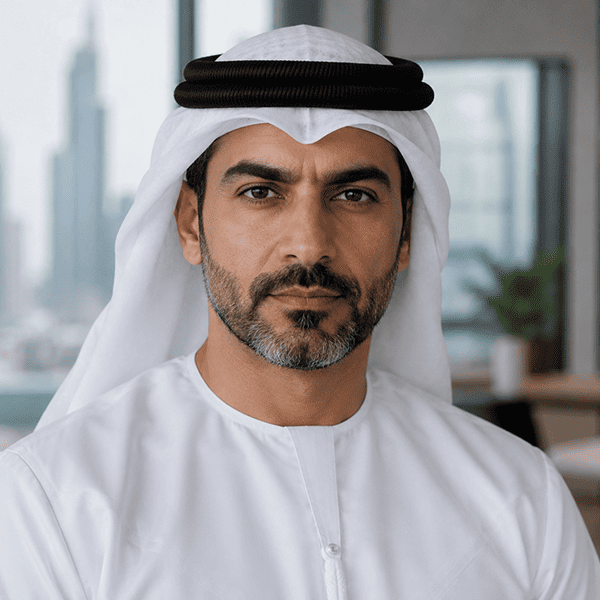
Omar Al Mansoori
Tech Recruitment Consultant (UAE), 12 years of experience
Specialization:
Frontend Careers in Dubai, Relocation, GCC Tech Market

Sophie Mitchell
Senior Tech Recruiter (Canada), 13 years of experience
Specialization:
Frontend Hiring, Express Entry, Canadian Tech Industry

Ethan Murray
Technical Recruitment Manager (Australia), 14 years of experience
Specialization:
Frontend Recruitment, Skilled Migration, Australian Tech Market

Felix Meier
Engineering Recruitment Consultant (Switzerland), 13 years of experience
Specialization:
Frontend Salaries, Swiss Tech Hiring, Relocation

Elin Lindberg
Senior IT Recruiter (Sweden), 11 years of experience
Specialization:
Frontend Hiring, Swedish Tech Companies, Relocation

Miguel Pereira
Tech Talent Acquisition Specialist (Portugal), 12 years of experience
Specialization:
Frontend Jobs, Relocation, Portuguese Startup Ecosystem

Ciaran O'Connor
Senior Tech Recruiter (Ireland), 13 years of experience
Specialization:
Frontend Recruitment, Global Tech Companies, Irish Job Market

Faisal Al Harbi
Technical Recruitment Consultant (Saudi Arabia), 12 years of experience
Specialization:
Tech Hiring, Vision 2030 Projects, Frontend Recruitment

Adrian Tan
Senior Tech Recruiter (Singapore), 13 years of experience
Specialization:
Frontend Hiring, APAC Tech Market, Employment Pass

Haruto Sato
Engineering Hiring Specialist (Japan), 12 years of experience
Specialization:
Frontend Recruitment, Japanese Tech Companies, Relocation

Anna Gruber
Senior IT Recruiter (Austria), 11 years of experience
Specialization:
Frontend Hiring, Austrian Tech Industry, EU Recruitment

Youssef Benali
Regional Tech Recruitment Consultant (North Africa), 12 years of experience
Specialization:
Remote Frontend Hiring, MENA Tech Market, International Relocation
Industry Contributors
Experienced developers, recruiters, engineering managers, and hiring specialists who share practical insights, career advice, and industry experience through interviews and expert contributions.
- Michael Hartley, Senior Frontend Engineer
- Sophia Chen, Lead Frontend Architect
- Daniel Martinez, Frontend Platform Engineer
- Rachel Thornton, Web Performance Specialist
- Michael Turner, Senior Frontend Engineer at a SaaS Platform
- Sarah Nguyen, Frontend Architect and Technical Mentor
- David Morales, Lead UI Developer at an Enterprise Software Company
- George Vaska, Senior Front-End Engineer at a SaaS Product Company
- Vivien Fernandez, Lead UI Engineer in FinTech
- Marcus Lee, Front-End Architect at an Enterprise Software Company
- Rachel Thompson, Senior Front-End Developer and Hiring Mentor