
How to Start Learning HTML: Beginner Guide for 2026
22 April 2026
323 views
This article is up to date as of October 2026

Written by
Ethan Robinson,
Middle Frontend Developer

Reviewed by
Claire Whitman,
Accessibility & Markup Specialist
If you are thinking about entering the world of web development, one of the first questions you will ask is how to start learning html. HTML is the foundation of every website, and without understanding it, it is impossible to build even the simplest web page. In 2026, despite the rapid growth of frameworks, AI tools, and advanced frontend technologies, HTML remains a critical starting point for every developer. It defines the structure of web content, organizes information, and allows browsers to correctly display text, images, links, and interactive elements.
The key to success is not just starting, but starting правильно - with a clear approach and understanding of what matters most. Many beginners jump directly into frameworks like React or Next.js, skipping the fundamentals, which later leads to confusion and weak technical foundations.
Learning HTML properly helps you understand how the web actually works under the hood. It gives you the ability to build structured, accessible, and SEO-friendly pages from scratch.
What Is HTML and Why It Matters?
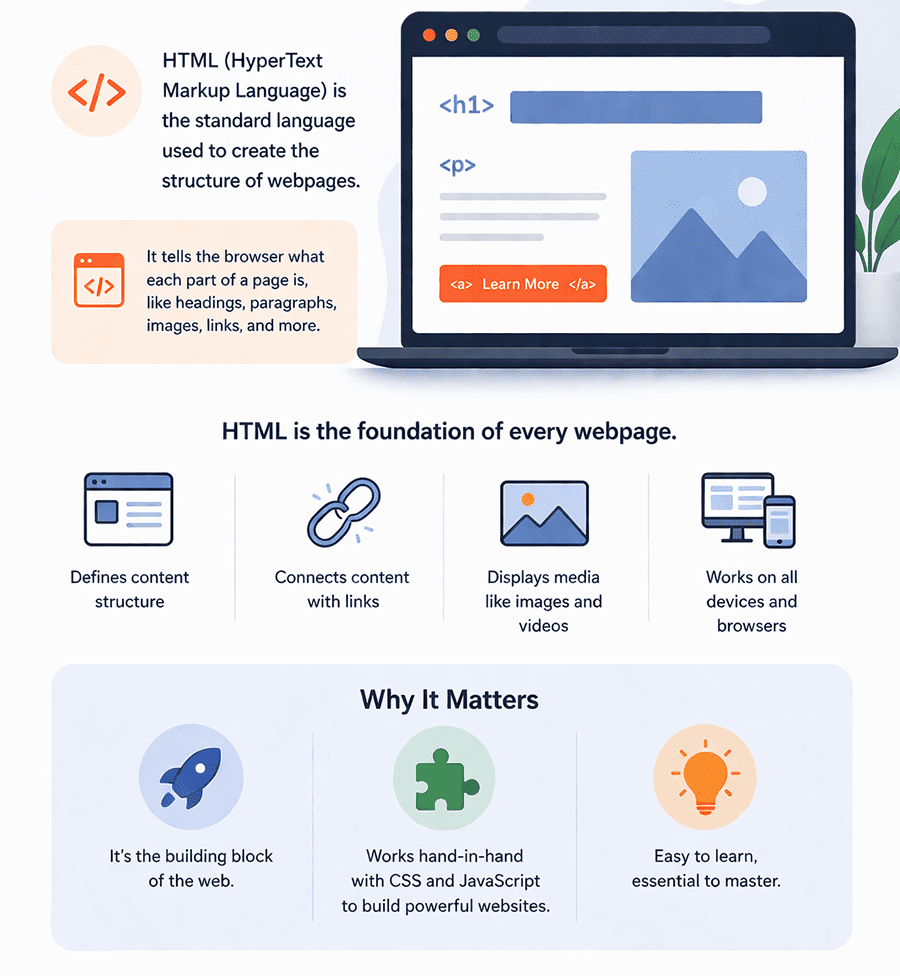
HTML (HyperText Markup Language) is the standard language used to create the structure of web pages. It is not a programming language in the traditional sense, but a markup language that tells the browser how content should be organized and displayed. Every website you visit - from simple blogs to complex web applications - relies on HTML as its structural foundation. It defines elements such as headings, paragraphs, images, links, forms, and sections, creating the skeleton that everything else builds upon.
To fully understand what is the purpose of learning html, it is important to see how it fits into the broader web development ecosystem. HTML works together with CSS and JavaScript to create complete web experiences. HTML provides the structure, CSS controls the visual appearance (colors, layouts, typography), and JavaScript adds interactivity and dynamic behavior. Without HTML, there would be no content to style or manipulate. It is the starting point that makes everything else possible.
HTML also plays a critical role in accessibility and search engine optimization.
Proper semantic markup helps screen readers understand content, making websites usable for people with disabilities. At the same time, search engines rely on HTML structure to index and rank pages effectively. Developers who understand semantic HTML can build websites that are not only functional but also user-friendly and discoverable. In modern development, this knowledge is essential for creating high-quality, production-ready web applications.
Benefits of Learning HTML for Beginners
Understanding the benefits of learning html is essential for anyone starting a career in web development. HTML is the first building block that allows beginners to move from theory to real, visible results. It provides a fast feedback loop: you write code and immediately see how it affects the page in the browser. This makes it one of the most beginner-friendly entry points into programming and frontend development.
-
Strong foundation for all web technologies
HTML is the base layer of every website. Learning it first makes it easier to understand CSS layouts, JavaScript behavior, and modern frameworks like React or Vue. -
Quick start with visible results
Beginners can build simple pages within hours. Seeing real output early increases motivation and helps maintain consistency in learning. -
Improved understanding of how the web works
HTML teaches how browsers interpret structure, how content is organized, and how elements interact with each other in a page layout. -
Essential for accessibility and SEO
Proper semantic HTML helps make websites accessible to users with disabilities and improves search engine visibility, which is critical in real-world projects. -
No complex setup required
You only need a browser and a text editor to start. This makes HTML one of the easiest technologies to begin learning without technical barriers. -
Gateway to frontend and full-stack careers
Once HTML is mastered, developers can confidently move to CSS, JavaScript, and eventually advanced topics like frameworks and backend integration.
In conclusion, these advantages make HTML the perfect starting point for beginners. It builds confidence, provides practical skills, and creates a solid foundation for long-term growth in web development.
Where to Start Learning HTML? (Step-by-Step Plan)
One of the most common beginner questions is where to start learning html, especially with the overwhelming number of tutorials, courses, and tools available today. The most effective approach is to follow a structured path instead of jumping between random resources. A clear HTML roadmap for beginners helps you focus on essential topics, build real skills step by step, and avoid confusion caused by scattered learning.
The key idea is simple: start with fundamentals, reinforce them with practice, and gradually move toward real projects. Instead of trying to learn everything at once, you should break the process into stages - from understanding basic tags to building complete web pages. A structured roadmap html for beginners acts as a guide, helping you stay consistent and track progress without losing direction.
Below is a practical step-by-step plan to begin your HTML learning journey:
| Stage | What to Learn | Recommended Resources |
| Step 1: Setup | Install a code editor (VS Code), understand how to create and open HTML files | VS Code, official docs, beginner setup guides |
| Step 2: Basic Structure | Learn <!DOCTYPE>, <html>, <head>, <body> and how a page is structured |
MDN Web Docs, freeCodeCamp |
| Step 3: Core Tags | Headings, paragraphs, links, images, lists | W3Schools, MDN tutorials |
| Step 4: Forms & Inputs | Forms, inputs, labels, buttons, validation basics | freeCodeCamp, HTML forms guides |
| Step 5: Semantic HTML | Sections, articles, nav, accessibility basics | MDN, accessibility documentation |
| Step 6: Mini Projects | Build simple pages: profile page, blog layout, landing page | GitHub projects, CodePen |
| Step 7: Practice & Review | Refactor code, repeat concepts, improve structure | Personal projects, code reviews |
Following this HTML roadmap allows beginners to move from theory to practice without getting lost. Instead of randomly consuming content, you build a clear learning system that leads to real results. This structured approach not only helps you master HTML faster but also prepares you for the next steps in web development, including CSS, responsive design, and JavaScript.
Is Learning HTML Hard?
Many beginners wonder, is learning html hard, especially if they have no prior coding experience. The short answer is no - HTML is considered one of the easiest technologies to start with in web development. However, like any skill, it still requires consistency, attention to detail, and practice. The initial concepts are simple: you learn how to structure content using tags and how browsers interpret that structure. This makes HTML approachable even for complete beginners.
The perceived difficulty often comes not from HTML itself, but from misunderstanding how to learn it effectively. Some beginners expect instant mastery or try to jump ahead into complex topics like frameworks or advanced layouts without fully understanding the basics. Others rely too heavily on tutorials without applying what they learn through real practice. This creates the illusion that HTML is harder than it actually is.
In reality, HTML becomes easy when learned in the right way - through repetition, small projects, and gradual complexity.
Once you understand how elements are structured and how they interact within a page, the learning process becomes intuitive. The biggest challenge is not technical difficulty, but staying consistent and building enough practice to feel confident. With the right approach, HTML quickly transforms from something unfamiliar into a natural tool for creating web pages.
How Can I Start Learning HTML Effectively?
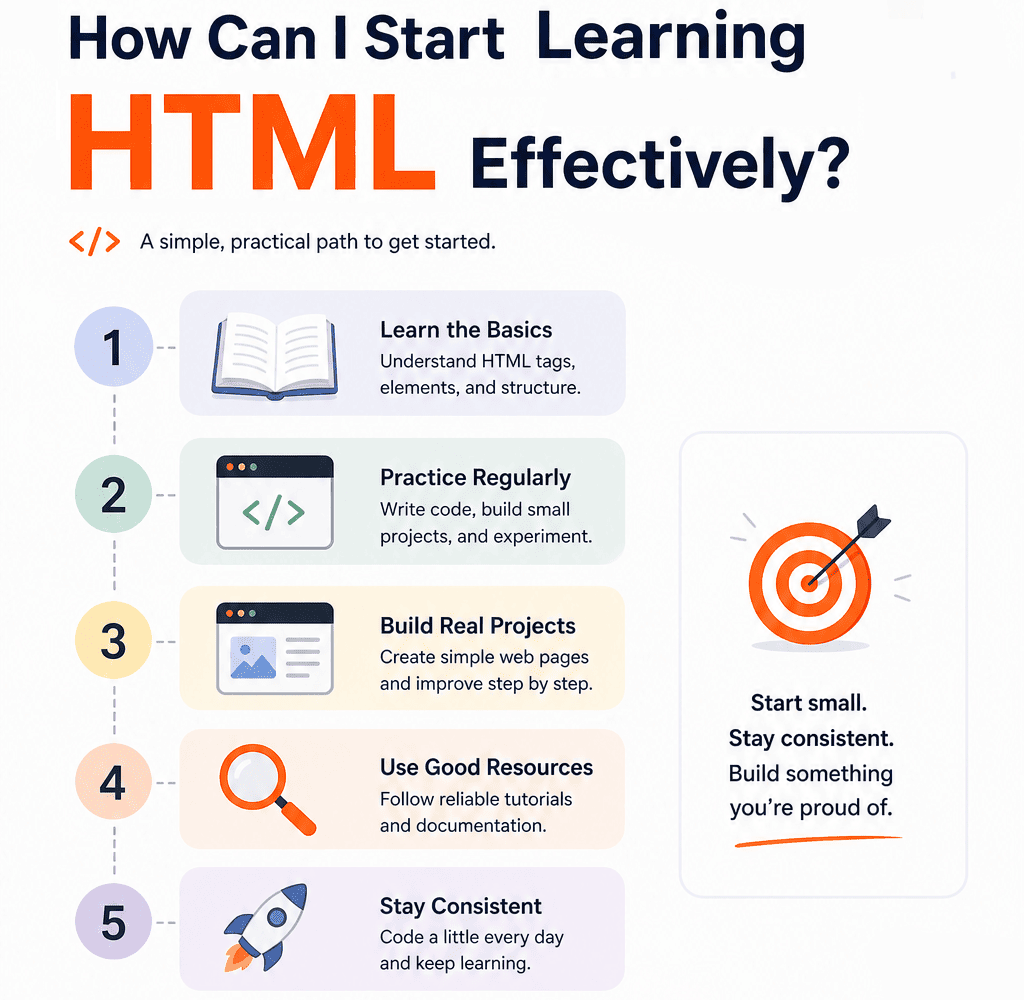
If you’re asking how can i start learning html, the most effective approach is to combine structured learning with consistent hands-on practice. Reading tutorials alone is not enough - HTML becomes clear only when you actively write code, experiment, and see how changes affect the browser output. The fastest way to improve is to follow a simple cycle: learn → build → review → improve.
Start with small, focused exercises. For example, create a basic page with headings, paragraphs, and links, then gradually add images, lists, and forms. Instead of copying code blindly, try to understand what each tag does and how it contributes to the overall structure. Once you are comfortable with basics, move to mini-projects such as a personal profile page, a simple blog layout, or a landing page. These projects help you connect multiple concepts and simulate real development tasks. Another important step is getting feedback. Share your code on platforms like GitHub, ask questions in developer communities, or participate in forums and Discord groups. Feedback helps you identify mistakes early, improve code structure, and learn best practices faster. It also introduces you to real-world standards such as semantic HTML and accessibility.
Consistency is the key factor in success. Even 30-60 minutes of daily practice can lead to strong progress over time. Avoid long breaks and try to revisit concepts regularly. By combining practical exercises, small projects, and community feedback, you create a learning process that is both efficient and sustainable.
Best HTML Resources for Beginners
HTML is the foundation of every website, so choosing the right learning resources matters a lot. The best beginner resources explain concepts clearly, give practical examples, and let you practice quickly. They should also stay updated with modern standards and accessibility guidance. Below are six strong English-language resources that are especially useful for beginners. Each one is worth using for a different reason, depending on whether you want structure, practice, or reference material.
- MDN Learn HTML is one of the most trusted web development references, and its HTML documentation is excellent for beginners. It explains tags, attributes, document structure, forms, media, and semantic markup in a clear, organized way. What makes it especially good is that it focuses on real web standards, so you are learning the same HTML used in professional development. It also includes accessibility advice, which is essential from the beginning.
- freeCodeCamp Responsive Web Design is a great choice for beginners who learn best by doing. Instead of only reading explanations, you write code immediately and complete small tasks that build confidence step by step. The HTML parts are paired with CSS and responsive design, so you quickly see how HTML works in real pages. This makes it useful for people who want practical skills rather than only theory. The platform is free, beginner-friendly, and widely recommended in the web development community. It is especially helpful if you need structure and motivation while learning the basics.
- Codecademy Learn HTML is popular because it gives you interactive lessons with instant feedback. That is very useful for beginners who want to understand HTML quickly without setting up a complex environment. The lessons introduce tags, structure, links, lists, tables, and forms in a simple progression. Each exercise helps you practice one concept before moving to the next, which reduces confusion.
- The Odin Project Foundations is one of the best free options for people who want a more serious learning path. It teaches HTML as part of a broader foundation that includes CSS, Git, and basic web workflow. The project-based approach helps you understand why HTML matters, not just how to memorize tags. It encourages you to build actual pages and think like a developer from the start. This makes it especially useful for beginners planning to continue into frontend development.
- web.dev Learn HTML is a high-quality resource from Google that focuses on modern, practical web development. Its HTML material is especially good for beginners who want accurate information and real-world best practices. It explains semantic structure, forms, images, and accessibility in a way that connects directly to modern browser behavior. The writing is clear and concise, so it is easy to use without feeling overloaded. Another major advantage is that it helps you learn not just HTML syntax, but also how to build better websites.
- Scrimba HTML and CSS is useful because it combines lessons with interactive video-style coding, which keeps beginners engaged. You can pause, edit code, and immediately see what happens, making the learning process more active. The HTML-focused content is usually paired with CSS, which helps you understand how structure and styling work together. This is important because HTML rarely exists alone in real projects. It is especially helpful for beginners who get bored with text-heavy tutorials and prefer learning in a more visual format.
Conclusion
Starting your journey in web development becomes much easier when you follow a clear and structured approach to learning HTML. It is the foundation of every website, and understanding it properly allows you to build real pages, not just theoretical knowledge. By focusing on fundamentals, practicing regularly, and working on small projects, beginners can quickly gain confidence and see visible progress. Throughout this guide, we explored what HTML is, why it matters, and how to approach learning it step by step. We also covered the importance of structured roadmaps, practical exercises, and consistent feedback. These elements are what transform learning into real skills that can be applied in projects and future job opportunities. The most important takeaway is that learning HTML is not about speed, but about consistency and clarity. With the right mindset and a clear plan, anyone can move from beginner to confident developer. Once you build a strong HTML foundation, you will be ready to continue your journey with CSS, JavaScript, and modern frontend technologies.
HTML Learning Questions Every Beginner Asks in 2026
1. How long does it take to learn HTML from scratch to a confident level?
The time required to learn HTML depends on your consistency and learning approach, but most beginners can understand the basics within 1-2 weeks of daily practice. Becoming confident - meaning you can build structured pages, use semantic tags correctly, and create small projects - usually takes around 3-6 weeks. The key factor is not time, but repetition and real practice. Developers who build projects while learning progress much faster than those who only watch tutorials. With consistent effort, HTML is one of the fastest skills to acquire in web development.
2. Can I learn HTML without any coding or technical background?
Yes, HTML is specifically designed to be beginner-friendly and is often the first step for people entering tech without prior experience. You do not need programming knowledge to start. HTML focuses on structure rather than logic, so it is easier to understand compared to languages like JavaScript or Python. Many beginners successfully learn HTML through practice, simple exercises, and guided tutorials. The most important thing is to stay consistent and avoid overcomplicating the process at the beginning.
3. Do I need to learn CSS at the same time as HTML?
You can start with HTML alone, but learning CSS soon after is highly recommended. HTML provides the structure of a webpage, while CSS controls how it looks. Without CSS, your pages will work but appear very basic. A common and effective approach is to learn HTML fundamentals first, then gradually introduce CSS to style your pages. Combining both early allows you to see more realistic results and better understand how modern websites are built.
4. Is HTML enough to get a job as a frontend developer?
HTML alone is not enough to get a frontend job, but it is an essential foundation. Employers expect developers to also know CSS, JavaScript, and often at least one framework like React or Vue. However, strong HTML knowledge is still important because it affects accessibility, SEO, and overall code quality. Think of HTML as the starting point of your journey - once you master it, you can confidently move on to more advanced skills that are required for real job opportunities.
5. What should I build after learning HTML basics?
After learning HTML basics, the best next step is to build small but practical projects. Start with a personal profile page, a simple blog layout, or a landing page. Then move on to more structured pages with navigation menus, forms, and multiple sections. These projects help you apply what you learned and identify gaps in your knowledge. Once you are comfortable, you can begin adding CSS for styling and later JavaScript for interactivity, gradually moving toward full frontend development.
Others Also Read
- Master HTML Faster: Web Programming Guide Most popular
- How to Start Learning CSS with Courses, Apps, Youtube Channels & Games Most popular
- Best Way to Study HTML, CSS, and JavaScript Together Most popular